
Features
What NexJu AI does for your website.
The assistant answers questions from your knowledge, takes requests and says openly what it does not know. Eleven features and their limits.
Answers from your knowledge
NexJu AI only answers from what you have approved: your website, your documents and your additions. If something is missing, the assistant says so and offers to take a request.
- 30, 60 or 120 pages depending on the plan
- PDF as knowledge from Plus
- Multiple locations from Profi
- No answer without approval
Knowledge that stays up to date
If you wish, the assistant reads your website again every week and shows you in the account what would change. It never automatically overwrites content you have entered manually.
- As a suggestion or automatically
- Old and new side by side
- Notices with an expiry date for holidays and promotions
Answers that help visitors take the next step
The assistant knows from which page someone is writing. Below its answer are the matching page of your website, a card for the service or the number for urgent cases.
- Link to the source
- Cards with image and price
- Buttons: call, directions, email, WhatsApp
- Files to download
Your rules
You decide how the assistant sounds, what it mentions in suitable answers and what it does not talk about.
- Short to detailed
- Casual to formal
- Always mention
- Never address
Requests that reach you
For a quote, a callback or an appointment, the assistant asks what the visitor needs, their name and their contact details. The visitor checks the summary and submits the request themselves.
- Email to you
- Inbox in the account
- Extra questions per industry
- Draft reply
- Deletion period 30 to 365 days
- Up to three photos from Plus
- Additional recipients by keyword from Profi
- Webhook, Zapier and Make from Profi
Appointments and reservations
With Plus or Profi and a cal.com account, the assistant shows available times from your calendar, and visitors book directly in the chat window. In every plan it gives the link to your booking system or your phone number.
- Booking via cal.com from Plus
- Booked only after checking and clicking
- Without a link: preferred appointment sent as a request
- It adds: not yet a confirmation
Languages
In every plan the assistant answers in German and English. From the Plus plan it answers in the language your visitor writes in.
- Your knowledge stays in German
- The assistant translates its meaning
Appearance and form of address
You choose light or dark, the accent colour, the text on the tab and whether visitors are addressed formally (“Sie”) or informally (“du”) in German. If you wish, the window sits fixed inside a page instead of at the edge.
- Large font with one button
- Greeting per page
- Addresses visitors proactively
- Avoids fixed bars
- Own logo from Plus
Without installation: link and QR code
Every assistant can have its own page. You put the link into your Google or Instagram profile, the QR code into the shop window or onto a flyer.
- QR code to download
- Legal notice and privacy policy linked
Fast and lean
Only a 4.8 kilobyte script that draws the tab loads with your page. The chat window is only added when someone opens it.
As of October 2026.
- 0 cookies
- Nothing stored in the browser
Your customer account
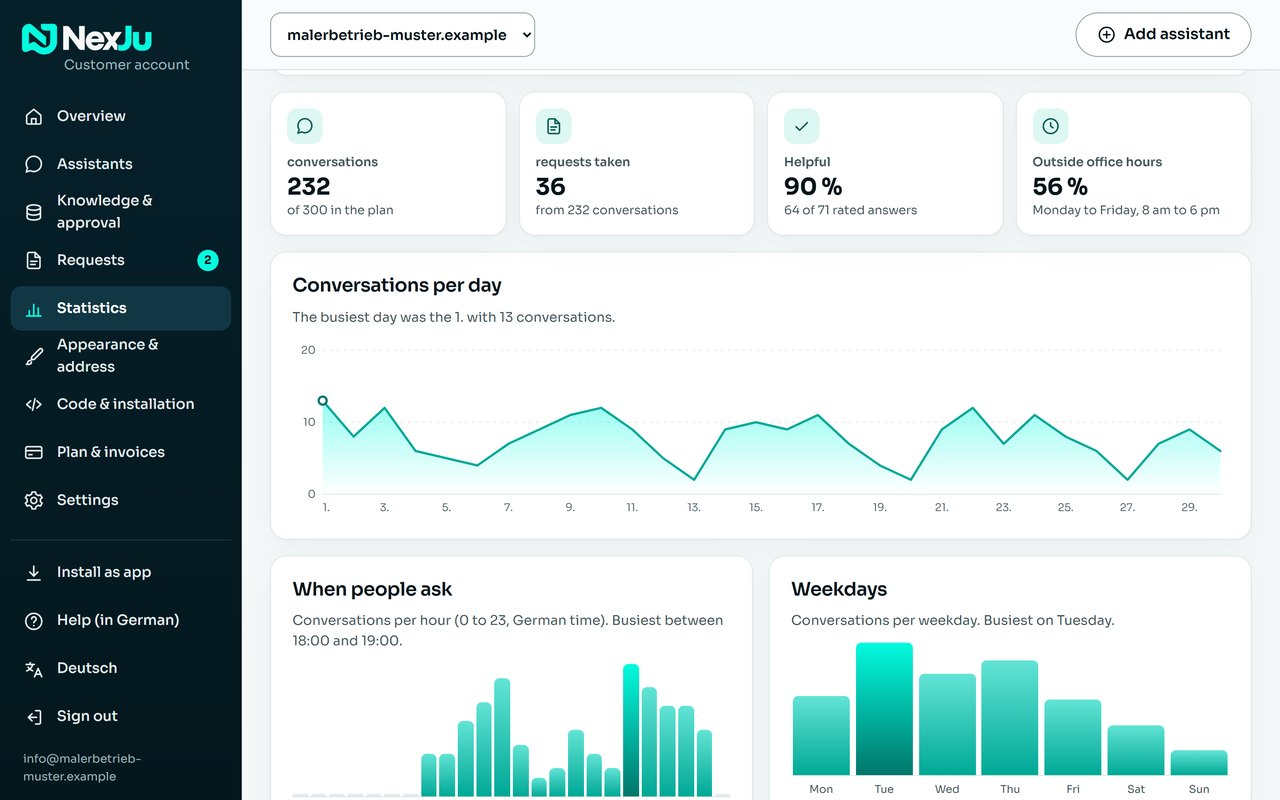
In the account you see usage, requests and statistics: how many conversations, on which days, at what time. There you change the plan, download invoices as PDF and cancel. You can add your account as an app on your phone, tablet or computer.
- As an app on your phone
- Share of conversations outside office hours
- Thumbs up or down
- Several assistants per account
- Additional logins for staff from Profi
03Your customer account
Everything at a glance. On the computer and as an app.
In your account, you can see how often visitors ask your assistant questions, read new requests and update its knowledge. It runs in your browser and can be added as an app on your phone, tablet or computer.
Overview
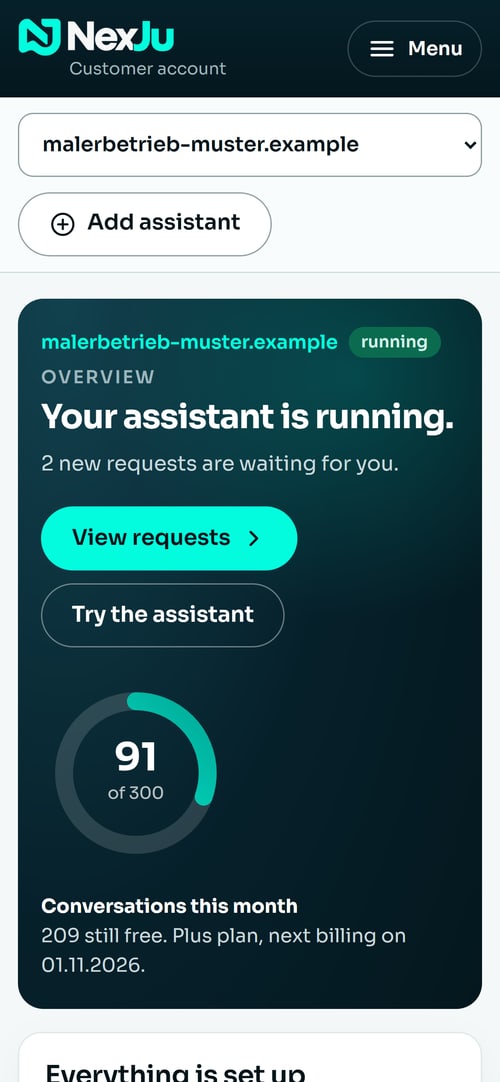
One sentence on the status, the usage as a ring and the next step as a button.
Statistics
Conversations per day, by hour and by weekday. The statistics use only timestamps, never the content.
Requests
Every request in the inbox and by email, optionally as a notification on your phone.
Knowledge and appearance
Change texts, have the website read again, adjust colour and greeting.
Plan and invoices
Change the plan, download invoices and cancel, right in the account.
As an app
A few taps and the account sits on your home screen with our icon.
✓Clear limits
What the assistant does. And what it leaves alone.
NexJu AI only answers from the knowledge you have approved. What is not in there, it does not know, and it says so. It makes no promises.
What it does
- Answer questions from your approved knowledge
- Take requests and send them to you by email
- Give your phone number or booking link when someone wants an appointment
- Answer in German and English, from the Plus plan in every language
- Say in its first answer that it is a digital assistant
What it leaves alone
- Invent nothing: no prices, deadlines or services that are not in your knowledge
- Make no binding promises of discounts, appointments or prices
- Give no advice on law, health, taxes or money
- Store no conversation history
- Not pose as a human

Step by step to your own assistant.
The first seven days are free. Pause at any time, continue later.